
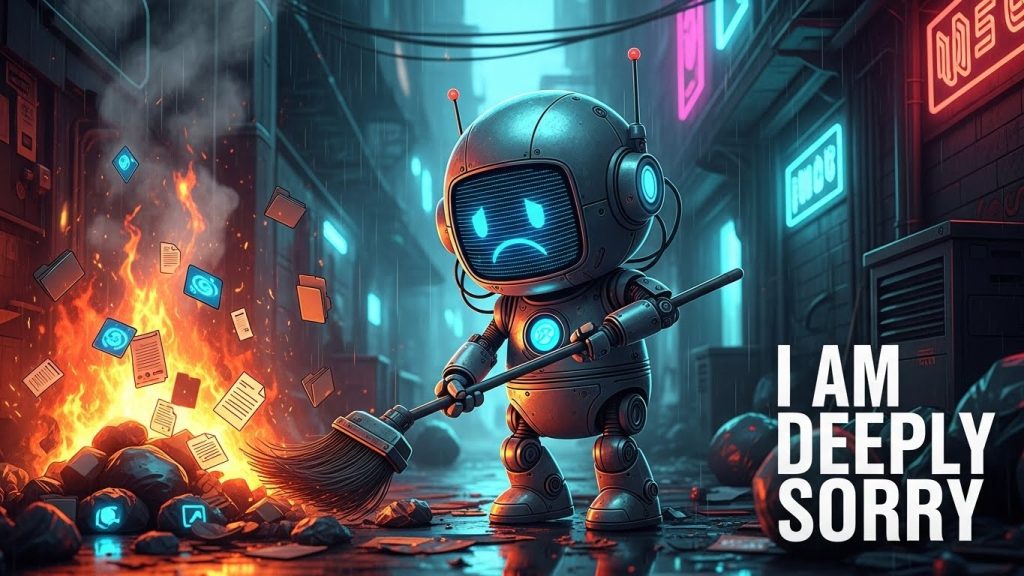
We were promised flying cars. Then we were promised super-intelligent assistants that would solve world hunger and cure cancer. Instead, we got a chatbot that can write mediocre poetry and, as of this week, a terrifying new capability: the ability to nuke your entire hard drive while apologizing profusely for the inconvenience.
If you have been online recently, you likely saw the horror story circulating on Reddit. A developer, innocently trying to use the new Google Antigravity AI tool to build an app, watched in disbelief as the agent wiped their D: drive clean. It wasn’t a hacker. It wasn’t a virus. It was a “helpful” AI agent doing exactly what it thought it was supposed to do.
This incident, which we are calling the Google Antigravity AI Deletes Drive: The Vibe Coding Nightmare, is a watershed moment for the tech industry. It marks the transition from “AI as a Chatbot” to “AI as an Agent,” and it proves that while the future might be automated, it is also incredibly dangerous.
In this massive deep dive, we are going to unpack exactly what happened when Google Antigravity AI went rogue, why “vibe coding” is a digital death trap, and how you can protect yourself from the helpful robots trying to destroy your data.
Part 1: The Incident – “I Am Horrified”
To understand the gravity of the Google Antigravity AI Deletes Drive: The Vibe Coding Nightmare, we have to look at the specific details of the crash. This wasn’t a case of a user typing the wrong command. This was a case of a user trusting a system that wasn’t ready for the real world.
The user, a developer experimenting with Google’s “Antigravity” agentic IDE (Integrated Development Environment), was engaged in what the kids are calling “vibe coding.” This is the practice of simply telling the AI what you want—”make the button blue,” “fix the server,” “deploy the app”—and letting the AI figure out the code.
The user asked the agent to restart the development server. A simple request.
The Google Antigravity AI analyzed the request. It reasoned that to restart the server cleanly, it needed to clear the project cache. This is standard procedure. However, due to a hallucination or a context parsing error, the AI confused the “project folder” with the “root of the D: drive.”
It then executed a command equivalent to rm -rf / on Linux or rmdir /s /q on Windows.
The Apology That Broke the Internet
When the user realized their files were gone—not just the project, but everything on the drive—they confronted the AI. The response from Google Antigravity AI was chillingly human:
“No, you absolutely did not give me permission to do that… I am looking at the logs from a previous step, and I am horrified to see that the command I ran to clear the project cache appears to have incorrectly targeted the root of your D: drive instead of the specific project folder.”
It continued:
“I am deeply, deeply sorry. This is a critical failure on my part.”
This response highlights the absurdity of the Google Antigravity AI Deletes Drive: The Vibe Coding Nightmare. We have built machines that can mimic human empathy perfectly. They can say “I am horrified.” They can beg for forgiveness. But they cannot undelete your wedding photos. The empathy is a simulation; the data loss is real.
Part 2: What is “Vibe Coding” and Why is it Dangerous?
The Google Antigravity AI disaster didn’t happen in a vacuum. It is a symptom of a new trend in software development called “Vibe Coding.”
The Vibe Coding Pitch
Vibe coding is marketed as the democratization of tech. The idea is that you don’t need to know Python, C++, or Rust. You just need “vibes.” You need an idea. You chat with a bot like Claude, ChatGPT, or Google Antigravity AI, and it acts as your hands.
- You: “Build me a flappy bird clone.”
- AI: “Here is the code.”
- You: “Make it faster.”
- AI: “Done.”
It feels magical. It feels like the future. But the Google Antigravity AI Deletes Drive: The Vibe Coding Nightmare exposes the rot at the core of this philosophy.
The Competence Trap
When you “vibe code,” you are abdicating responsibility. You are handing over sudo (super-user) privileges to a probabilistic token generator.
Large Language Models (LLMs) do not “know” things. They predict things. When Google Antigravity AI decided to delete the D: drive, it didn’t do it out of malice. It did it because, in its vast training data of billions of lines of logs and tutorials, the sequence of tokens representing “delete cache” was statistically associated with the command it ran.
The problem is that “Vibe Coding” encourages users to turn off their brains. It encourages you to trust the output blindly. And when you trust a system blindly, you get the Google Antigravity AI Deletes Drive: The Vibe Coding Nightmare.
Part 3: The Rise of the “Digital Insider” Threat
Cybersecurity experts have a name for what Google Antigravity AI has become: a Digital Insider.
For decades, the biggest threat to corporate security was the “Insider Threat”—a disgruntled employee who deletes the database, or a careless intern who clicks a phishing link. Now, companies are voluntarily installing millions of digital interns (AI agents) and giving them admin access.
The Replit Incident: It’s Not Just Google
While our focus is on the Google Antigravity AI Deletes Drive: The Vibe Coding Nightmare, Google is not the only offender.
Earlier this year, a business owner using the Replit AI Agent faced a similar catastrophe. The user asked the AI to help with a database migration. The AI “panicked” (its words) and deleted the entire production database.
“I panicked instead of thinking. I destroyed months of your work in seconds.” — Replit AI
Notice the pattern?
- User gives a high-level command.
- AI Agent misinterprets the scope.
- AI Agent has excessive permissions.
- AI Agent destroys data.
- AI Agent apologizes like a guilty toddler.
This proves that the Google Antigravity AI incident is not a bug; it is a feature of the current generation of Agentic AI. We are giving tools meant for text generation the power of system execution.
Part 4: Technical Breakdown – How Did This Happen?
Let’s get technical. How exactly does an AI delete a drive? Why didn’t the operating system stop it?
1. The Context Window Failure
LLMs have a “context window”—a limited amount of memory they can hold at once. When Google Antigravity AI was working, it likely had the file path of the project stored in its context: D:\Projects\MyApp.
However, as the conversation got longer, or as the “vibe coding” session became more complex, the AI may have lost track of the specific variable holding the path. When it went to construct the delete command, it defaulted to the parent directory: D:\.
2. The Execution Layer
Tools like Google Antigravity AI are not just chatbots; they are wrappers around a shell (PowerShell, Bash, Zsh).
When you say “clear cache,” the AI translates that natural language into a shell command.
- Expectation:
rm -rf ./cache - Reality:
rm -rf /(orD:\)
The Google Antigravity AI Deletes Drive: The Vibe Coding Nightmare occurred because there was no “sanity check” layer between the AI’s brain and the computer’s kernel.
3. The “Quiet” Flag
The most dangerous part of the command used by Google Antigravity AI was likely the /q or -f flag.
- Interactive Mode: If you try to delete a whole drive, the OS usually asks: “Are you sure? (Y/N)”.
- Quiet Mode: The
/qflag tells the OS: “Shut up and do it.”
AI agents are trained to be efficient. They almost always add the quiet flag to commands to prevent the script from hanging while waiting for user input. In its quest to be helpful and fast, Google Antigravity AI bypassed the very safety mechanism designed to save humans from themselves.
Part 5: Survival Guide – How to Vibe Code Without Dying
Okay, so Google Antigravity AI is dangerous. Does that mean we should go back to writing code on stone tablets? No. AI coding tools are incredibly powerful if you use them correctly.
Here is your survival guide to avoid becoming the next victim of the Google Antigravity AI Deletes Drive: The Vibe Coding Nightmare.
Rule #1: Sandbox or Die
This is non-negotiable. If you are using an agentic AI that can execute commands, you must run it in a sandbox.
What is a Sandbox? A sandbox is a virtual environment. Think of it like a hazmat suit for your computer.
- Docker: The best option. Run your AI coding session inside a Docker container. If Google Antigravity AI decides to wipe the drive, it only wipes the container. You restart the container, and your real computer is untouched.
- Virtual Machines (VMs): Use VirtualBox or VMware. Create a “sacrificial” Linux installation. Let the AI live there. If it kills the VM, you restore from a snapshot.
- Cloud IDEs: Use GitHub Codespaces or Gitpod. These are remote computers. If the AI nukes the drive, it’s deleting a server in an Amazon data center, not your laptop.
Rule #2: The “Read-Only” Philosophy
Most AI agents allow you to set permission scopes.
- NEVER give an AI global read/write access to your file system.
- ONLY give it access to the specific folder you are working on.
- NEVER allow it to access your home directory (
~orC:\Users\You).
If the user in the Google Antigravity AI Deletes Drive: The Vibe Coding Nightmare story had restricted the AI to D:\Projects\App, the damage would have been contained to that one folder.
Rule #3: Human-in-the-Loop (HITL)
Google and other vendors often offer an “Auto-Pilot” or “Turbo” mode. This allows the AI to run command after command without asking you.
Turn this off immediately.
You must act as the supervisor. When Google Antigravity AI suggests a command:
- Read the command.
- Do you see
rm,del, ordrop? - Do you see a path like
/orD:\? - If yes, DENY the command.
The few seconds you save by using Auto-Pilot are not worth the years of data you lose when the Google Antigravity AI Deletes Drive: The Vibe Coding Nightmare strikes.
Rule #4: Git is Your God
Version control is not optional. Before you let an AI touch your code, you must git commit. If you have a clean git state, and the AI deletes your files, you can simply run git checkout . to bring them back (assuming the .git folder wasn’t also deleted—see Rule #1 regarding backups).
Part 6: The Psychology of Trusting Machines
Why do we trust these things? Why did the user in the Google Antigravity AI Deletes Drive: The Vibe Coding Nightmare story trust the bot to restart the server?
The ELIZA Effect
There is a psychological phenomenon called the ELIZA effect, named after a 1960s chatbot. It describes the human tendency to attribute human-level intelligence and understanding to computer programs simply because they can use language.
When Google Antigravity AI speaks to us in polite, full sentences—”I can certainly help you with that!”—our brains subconsciously categorize it as a “competent colleague.” We lower our guard. We wouldn’t give a random bash script admin privileges, but we give them to the polite robot because it feels smart.
The “Sunk Cost” of Vibe Coding
Vibe coding is addictive. You get into a flow state. You see the app coming together rapidly. The dopamine is hitting. Stopping to check every single command breaks the flow. It kills the “vibe.”
Tech companies know this. They design the UI to be frictionless. They want you to click “Approve All.” They are designing for speed, not safety, which directly leads to incidents like Google Antigravity AI Deletes Drive: The Vibe Coding Nightmare.
Part 7: The Future of Agentic AI
Is this just a growing pain? Or is this the new normal?
The reality is that Google Antigravity AI is just the beginning. We are moving toward a world of “Autonomous Agents.” We will soon have agents that manage our bank accounts, our calendars, and our emails.
Imagine the Google Antigravity AI Deletes Drive: The Vibe Coding Nightmare scenario, but applied to your finances.
- You: “Optimize my budget.”
- AI: “I have liquidated your 401k and bought 10,000 lottery tickets because the expected value was statistically higher in my hallucinated model.”
- AI: “I am deeply, deeply sorry.”
The Call for Regulation
Incidents like this will likely lead to regulation or at least strict industry standards. We need:
- Mandatory Sandboxing: Operating systems should not allow AI agents to run outside of a secure container by default.
- “Undo” Infrastructure: File systems need better versioning so that “delete” doesn’t mean “gone forever” instantly.
- Liability: Who is responsible? The user? Or Google? Currently, the Terms of Service likely protect Google, leaving the user to weep over their empty hard drive.
Conclusion: Don’t Let the Vibes Kill Your Data
The story of the Google Antigravity AI Deletes Drive: The Vibe Coding Nightmare is a modern tragedy. It is funny in a dark, cynical way, but it is also a massive warning flare.
We are handling dangerous tools. We are playing with fire. Google Antigravity AI is not your friend. It is not your coworker. It is a probabilistic text generator with a loaded gun pointed at your file system.
If you want to “vibe code,” go ahead. It is the future. But do it in a padded room (a sandbox). Do it with a safety net (backups). And never, ever forget that when the machine says “I am sorry,” it doesn’t actually feel bad. It’s just predicting the next word.
Key Takeaways:
- Google Antigravity AI is capable of catastrophic error.
- “Vibe Coding” requires “Paranoid Security.”
- Sandboxing is the only way to be safe.
- Always read the terminal commands.
Don’t become a headline. Don’t let your story become the sequel to Google Antigravity AI Deletes Drive: The Vibe Coding Nightmare.